Broadcast Automation Software for TV Channels, IPTV & 24/7 Broadcasting
Automate scheduling, commercial insertion, graphics triggering, live switching, and channel playout from a single broadcast automation platform. Run television channels and IPTV networks around the clock without continuous operator supervision.
Trusted by Broadcasters in 70+ Countries
70+
Countries
24/7
Broadcast Automation
SD/HD/2K/4K
Format Support
RTMP · SRT · UDP · NDI · SDI · DVB
Outputs
Quick Definition — Broadcast Automation Software
Broadcast automation software automatically schedules, switches, brands, and delivers television and streaming content without requiring continuous operator intervention. It is the engine behind every professional Playout Software deployment.
Broadcast automation systems manage playlists, commercial breaks, graphics events, live source switching, and programme schedules automatically, enabling broadcasters — from IPTV operators to traditional TV stations — to operate channels 24/7 with maximum reliability.
What is Broadcast Automation and Why Does It Matter?
In the early days of television, every aspect of a broadcast was manually controlled. An operator would physically start each tape, cue up the next segment, and trigger graphics by hand. This required a skilled team present in the facility around the clock — a significant and expensive operational commitment.
Broadcast automation transformed this model. Instead of manual operation, a scheduling system controls the sequence and timing of all content — videos, commercials, graphics events, and live source switches — executing everything with frame-accurate precision according to a pre-built schedule. The channel runs itself.
For modern broadcasters, automation is not a luxury — it is an operational necessity. A 24/7 channel cannot economically employ operators around the clock. This applies equally to traditional TV stations, IPTV operators delivering hundreds of channels, cable TV networks serving local communities, and streaming channels monetising content libraries through FAST platforms.
Insta Playout delivers this broadcast automation capability in an affordable, accessible software package. Whether you are a TV station, an IPTV operator, a cable network, a content creator, or a community broadcaster, our automation engine handles the technical execution of your broadcast so your team can focus on content creation.
Who Uses Broadcast Automation Software?
Insta Playout is trusted by broadcasters, organizations, and content creators across every industry.
Corporate TV Networks
Manage internal communication channels and training content.
What Can You Automate?
InstaPlayout automates every element of a professional broadcast operation.
Programme Scheduling
Build daily, weekly, and seasonal broadcast schedules. Content airs at the exact assigned time — automatically, every day.
Commercial Break Insertion
Insert ad spots and sponsorship blocks at scheduled intervals with frame-accurate timing and automatic return to programming.
Station ID Automation
Fire station ID clips, channel idents, and branding segments automatically between programmes.
Logo Automation
Display your channel logo bug at all times, or schedule it to appear and disappear at specific moments during broadcast.
Graphics & Lower Thirds
Trigger lower thirds, presenter names, location tags, and branded overlays at specific schedule points without operator input.
News Tickers
Run scrolling news crawls and text tickers continuously or on a schedule across your broadcast output.
Live Source Switching
Switch automatically to live cameras, SRT feeds, and NDI inputs at scheduled times. Supports full NDI Playout Software and SRT Streaming Software workflows for IP-based production.
Emergency Content Playback
Configure fallback playlists and emergency content to trigger automatically if a primary source fails.
Automation Features
Everything needed to run a fully automated TV channel or IPTV network from scheduling to output — backed by professional playout software.
Automated Scheduling
Set it and forget it — your entire broadcast day runs automatically on schedule. Time-accurate playout ensures every show, ad, and station ID airs exactly on cue.
Playlist Looping & Templates
Repeat content blocks, daily schedule templates, or weekly programming cycles with ease. Set once, run indefinitely — or modify any time.
Ad Break Automation
Insert commercial breaks automatically at scheduled times with frame-accurate precision. Monetise your channel from day one with automated ad rotation.
Graphics Automation
Auto-trigger lower thirds, news tickers, logo bugs, and station ID graphics based on your schedule — no operator required for graphic events.
Live & File Switching
Seamlessly transition between live inputs — cameras, SRT feeds, NDI sources — and pre-recorded content within the same automated playlist.
Multi-Channel Automation
Manage multiple channels and automation workflows from a centralized system. Scale operations without proportionally scaling your team.
As-Run Logs & Reporting
Generate playback reports and compliance logs for advertisers, operators, and broadcasters. Track every item that went to air with timestamps.
Benefits of Broadcast Automation
Eliminate Overnight Staffing
Automated 24/7 operation removes the requirement for overnight operators, significantly reducing staffing costs for continuous broadcast channels.
Consistent On-Air Quality
Automation removes human error from timing-critical operations. Every show starts on time, every ad break runs as scheduled, every graphic fires on cue.
Monetise With Ad Automation
Frame-accurate commercial break insertion ensures advertisers get exactly what they paid for — maximising your ad inventory value and revenue reliability.
Scale Without Proportional Cost
Adding a second channel does not require doubling your staff. Automation enables operational scaling with minimal additional headcount.
Focus On Content
When automation handles broadcast execution, your team focuses on what creates value — content production, journalism, and creative development.
Broadcast Automation Control Interface
InstaPlayout provides a professional broadcast automation control centre — from playlist scheduling and graphics triggering to multi-format output configuration including NDI and SRT streaming.
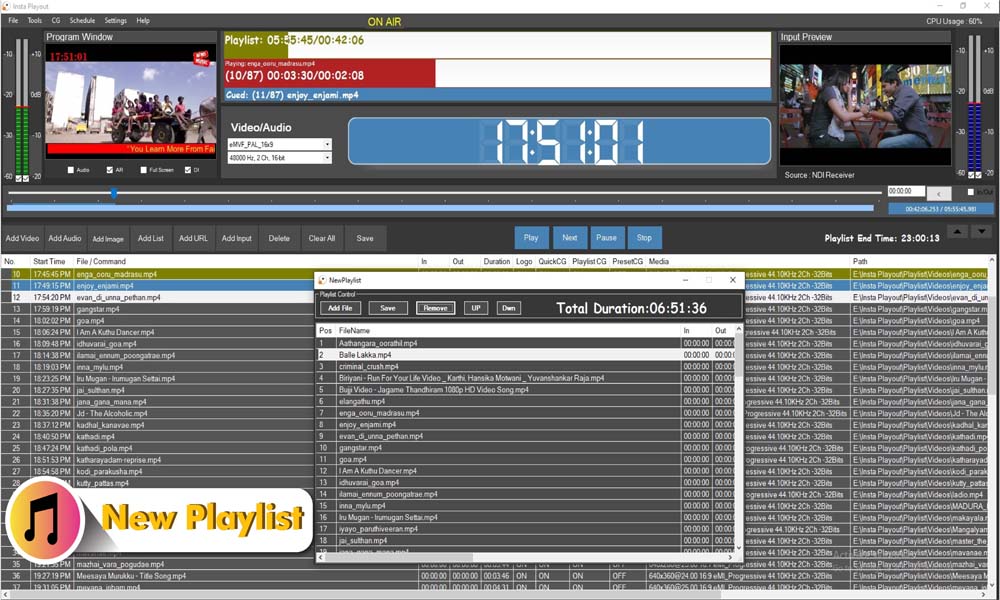
Playlist Manager
Create daily, weekly, and recurring channel schedules with drag-and-drop simplicity.
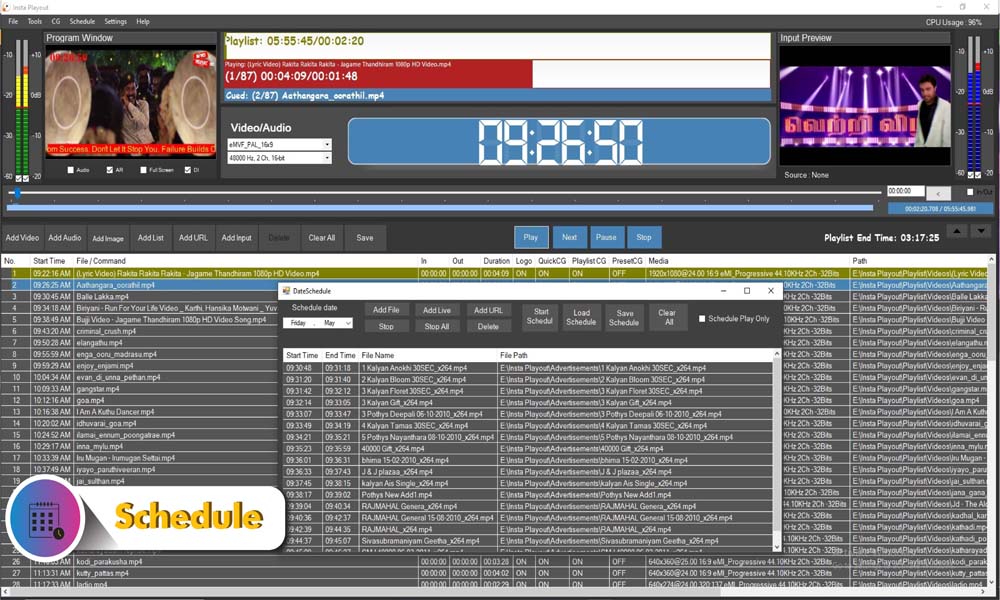
Schedule Editor
Drag-and-drop scheduling for programmes, ads, and graphics events across your broadcast day.
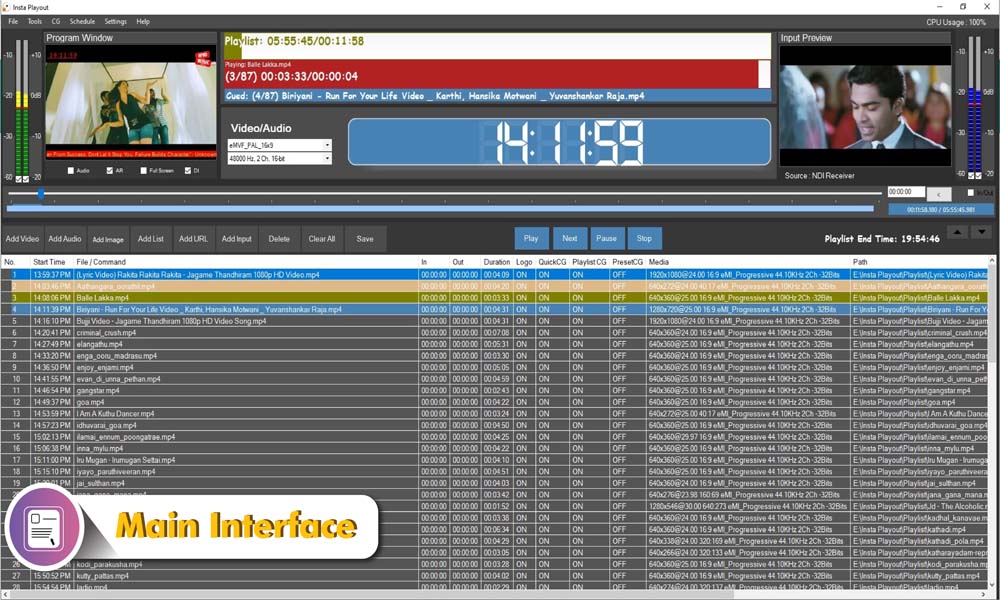
Automation Dashboard
Monitor on-air status and automation activity in real time from a single unified interface.
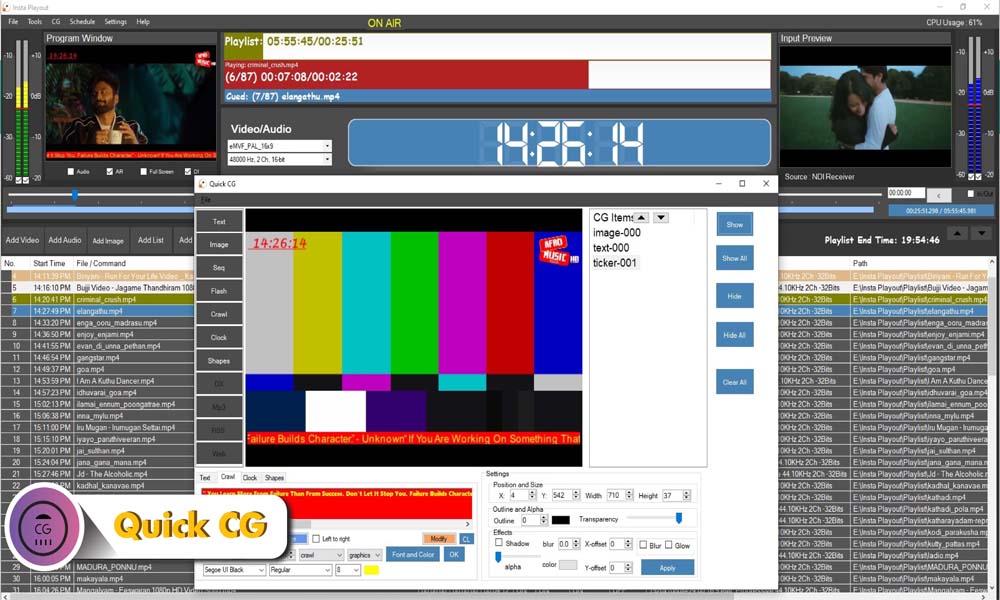
Graphics Automation
Schedule logos, lower thirds, crawls, and station IDs to fire automatically at the right moment.
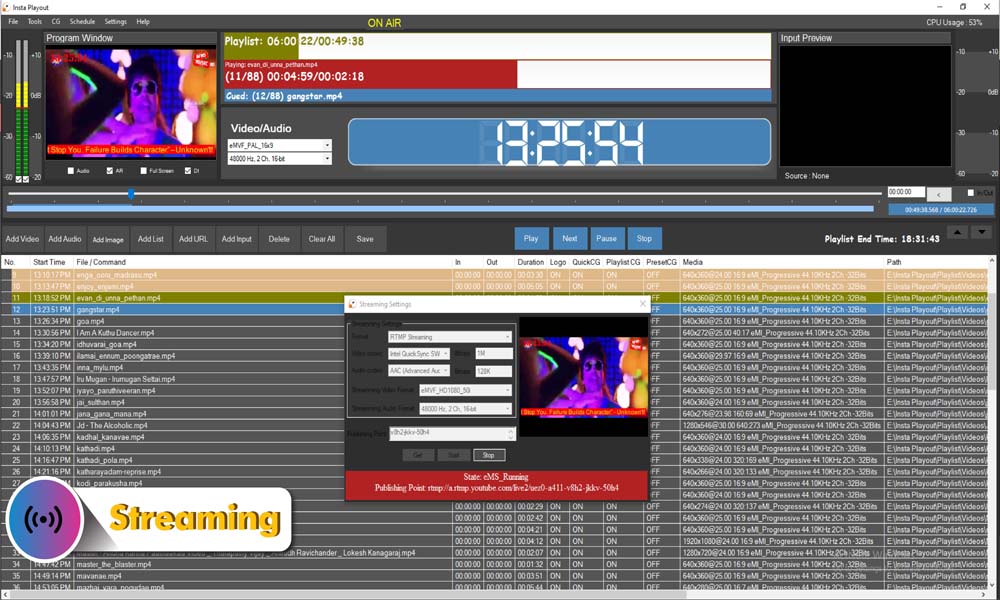
Output Settings
Configure RTMP, SRT, UDP, NDI, SDI, and DVB outputs simultaneously from one system.
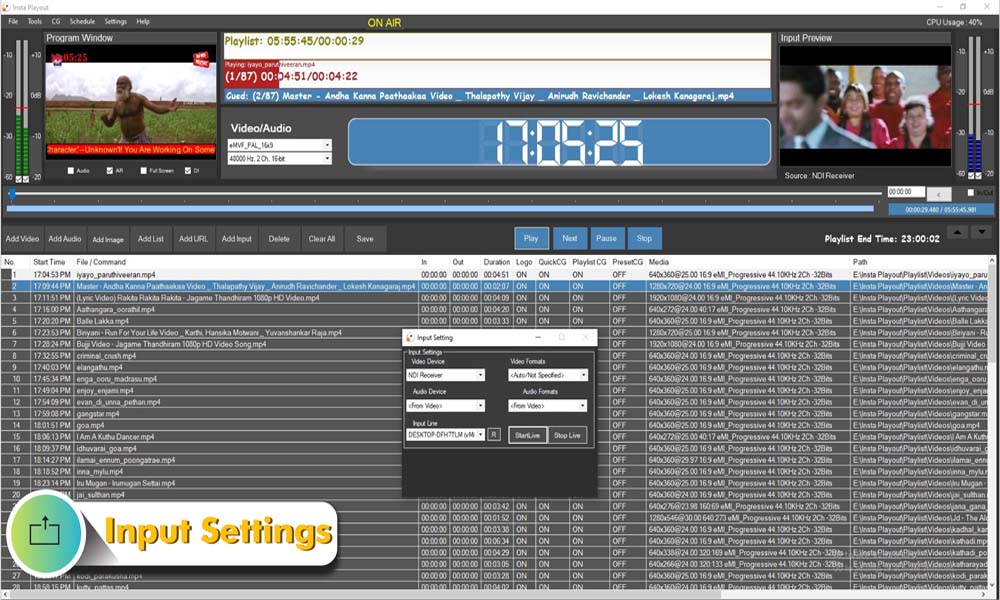
EPG Manager
Generate and export programme guide information for IPTV middleware and set-top box systems.
Trusted by TV stations, IPTV operators, churches, and content creators in 70+ countries.
Supported Broadcast Outputs
InstaPlayout connects to every major broadcast and streaming destination simultaneously from a single Windows PC.
Professional broadcast output via Blackmagic Design Decklink hardware. Ideal for cable headends, satellite uplinks, and traditional broadcast infrastructure.
IP-based production workflows integrating with vMix, OBS, and any NDI-enabled device on your local network.
RTMP Streaming
Broadcast directly to YouTube Live, Facebook Live, Twitch, Wowza, and any RTMP-compatible CDN or streaming platform.
Low-latency, resilient contribution and distribution over the public internet. Ideal for remote broadcasting and cross-site delivery.
Traditional IPTV and cable headend multicast workflows for set-top box delivery and DVB-IP networks.
DVB Distribution
Satellite, cable, and terrestrial broadcast delivery for regulated broadcast environments requiring DVB-compliant output.
Desktop Broadcast Automation vs Cloud Automation Software
Many broadcasters are evaluating desktop playout software against cloud-based services. Both have their place — but desktop broadcast automation gives you more control at a lower long-term cost.
Desktop Broadcast Automation
✓ Insta Playout- One-time payment — own it forever
- No file uploads required
- Works offline for local playout
- Full control of media assets
- No cloud storage costs
- No monthly subscription fees
Cloud Automation Platforms
Compare- Requires media uploads
- Monthly subscription fees
- Internet dependent
- Third-party storage
- Upload delays for large files
- Ongoing operational costs
Bottom line: Insta Playout gives broadcasters complete control of their content and automation workflows without recurring cloud expenses.
Set Up Automation in 6 Steps
Install InstaPlayout on your broadcast PC
Import your video library and organise by show, ad, or segment type
Build your daily and weekly automation schedule in the playlist editor
Set up automatic ad breaks, station IDs, and programme transitions
Configure graphics overlays and lower thirds for automated triggers
Enable automation mode — your channel runs unattended 24/7
Why Broadcasters Choose Insta Playout
Own your broadcast automation with a one-time license starting from just $99 — no monthly fees, ever.